Master AI Video Camera Angles for Cinematic Prompts
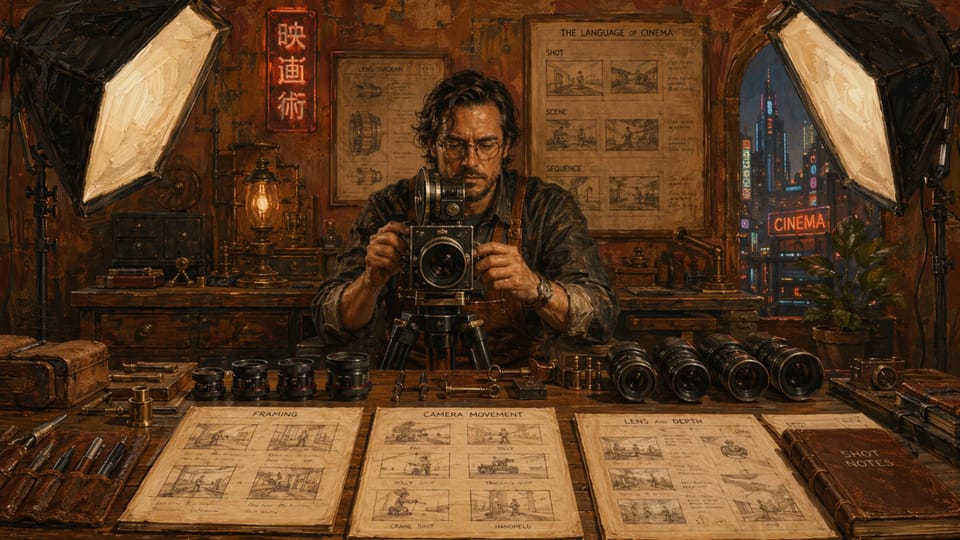
Table of Contents
Why Camera Angles Turn Flat AI Clips Into Cinematic Moments
As of May 2026 I spent an entire evening prompting the same bedroom scene across three different tools. Without any camera direction the results sat there like security footage. The moment I added "slow push-in from a low angle, 35mm lens" the shot suddenly breathed. It felt alive. Leading with camera language forces the model to decide where the viewer stands and how the story moves. Vague prompts leave everything to chance. Precise ones give you control over mood before the first frame renders. Try this pair:
- Before: "A couple on a bed kissing"
- After: "Eye-level tracking shot approaching the bed, two lovers locked in a slow kiss, shallow depth of field, warm lamplight" The difference is night and day.
Ten Camera Moves That Actually Deliver
Here are the angles and movements I reach for most often, each with a ready-to-paste phrase and the feeling it creates. - Low angle, looking up: "Low-angle hero shot, performer towering over the viewer" — instant power and intimacy.
- Slow dolly-in: "Slow forward dolly, tightening from medium to close-up" — builds tension like a classic thriller.
- Tracking side shot: "Smooth tracking shot following the subject walking toward the window" — keeps motion natural.
- Bird’s-eye: "Top-down bird’s-eye view, bodies arranged on white sheets" — graphic and detached.
- Over-the-shoulder: "Over-the-shoulder reverse angle during the embrace" — puts you inside the moment.
- Handheld sway: "Slight handheld sway, documentary feel" — adds realism and urgency.
- High angle looking down: "High angle, gentle downward tilt revealing the full scene" — creates vulnerability.
- 85mm shallow focus: "85mm lens, razor-thin depth of field, background melting away" — isolates emotion.
- Orbiting circle: "Slow 180-degree orbit around the couple" — cinematic and revealing.
- Static locked frame: "Locked-off tripod shot, perfect symmetry" — lets the action breathe without distraction. Copy, tweak the subject, and watch consistency jump.
Film it on AiExotic
AI Video Camera Angles: Dynamic NSFW Scenes Unlocked
Make this fantasy nowMy Four-Step Prompt Recipe
After dozens of failed attempts I landed on a simple order that works across most current models. Step one: open with the camera move and lens. This sets the visual grammar before anything else loads. Step two: place the subject and action clearly. Keep it specific — "performer on their knees" beats "intimate moment." Step three: add lighting and mood in one short phrase. "Golden hour side light" or "neon from the window" tells the model exactly how to paint the frame. Step four: finish with style and duration. "Cinematic color grade, 8-second clip" keeps things tight and filmic. Example full prompt: "Slow dolly-in from eye level, 50mm lens, woman turning toward her partner on silk sheets, soft window light, realistic skin texture, 12-second shot." The sequence matters. Lead with the camera and the rest falls into place.
Layering Angles for Real Storytelling
Once the basics click, combine them. A low-angle tracking shot with shallow depth of field turns a simple encounter into something charged and voyeuristic. The low angle gives dominance while the moving camera pulls the viewer deeper into the room. Swap to a slow overhead orbit and the same scene becomes observational, almost dreamlike. I tested one prompt that started "low-angle tracking shot, 35mm, shallow focus" and another that began "bird’s-eye slow orbit." The emotional temperature shifted completely even though the performers and action stayed identical. Mastering precise camera angles in prompts gives creators full directorial control, exactly the skill that powers next-level realism and creativity in AI-generated adult video scenes. Read more here. These combinations reward experimentation. The models are finally listening.
Film it on AiExotic
AI Video Camera Angles: Dynamic NSFW Scenes Unlocked
Make this fantasy nowAI Video Camera Angles FAQs
Which camera terms work best across different AI video models?
Slow push-in, tracking shot, low angle, dolly zoom, and 85mm lens with shallow depth of field perform reliably on Kling 3.0, Veo, and Runway Gen-4. Lead your prompt with the movement and the model follows more consistently than when you bury the direction later.
How do I avoid vague or static results when prompting camera angles?
Start every prompt with a specific movement and lens. Replace words like "nice shot" with "slow forward dolly, 50mm" or "smooth tracking from the side." Specificity forces the model to animate the frame instead of defaulting to a locked wide.
Can I combine multiple angles in one prompt without confusing the model?
Yes, but keep the sequence logical. One strong primary move plus a supporting detail works best. "Low-angle tracking shot with slight handheld sway" succeeds where three unrelated moves stacked together usually collapse into jitter.
Do camera angles change how realistic the final video looks?
They change it dramatically. A well-chosen angle plus shallow depth of field hides small anatomy errors and sells cinematic quality. The same performers in a flat eye-level shot often look less convincing because nothing guides the viewer’s eye.
Should I mention frame rate or shutter angle in my prompts?
Only when you want a specific film look. "24fps cinematic shutter" can add natural motion blur, but most models already default to pleasing movement. Test it once, then decide if the extra words are worth the trade-off in prompt length.
Create Your Own AI Porn Video
Turn any fantasy into a realistic Full HD video. 1,000+ scenarios, positions & kinks — 100% private.
Start Creating NowAbout the Author
Digital Artist & AI Tool Reviewer
Digital artist & AI tool tester. Breaks workflows so you don't have to. Writes the guides she wishes existed.